How to Take Admission Through the Eduvy App — a Complete Walkthrough
By Eduvy Editorial · 12 August 2026 · Admission 2026
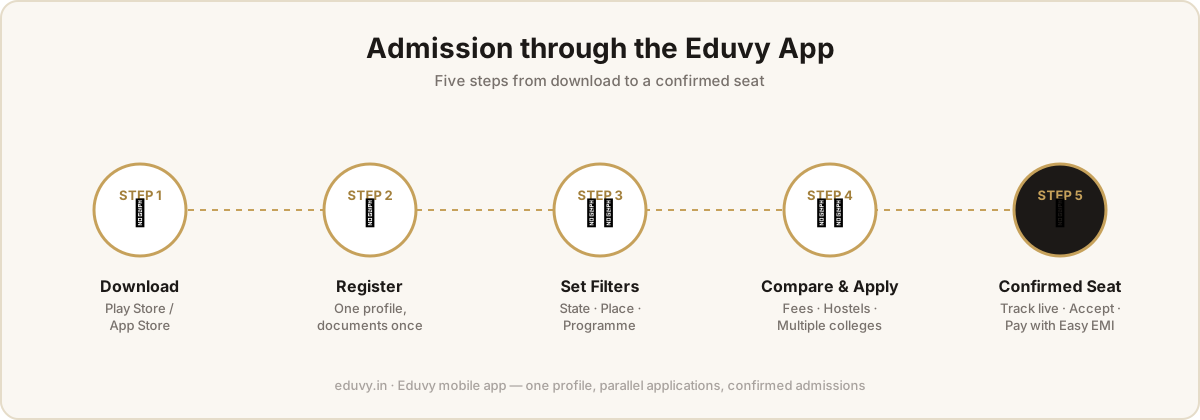
Most students still apply to college the hard way: campus visits, agents, paper forms, and a single application that everything depends on. The Eduvy app replaces that with one profile and parallel applications. Here is the complete walkthrough.
Step 1 — Download and register
Install Eduvy from the Play Store or App Store and create your account. You build one profile and upload documents once — 10th and 12th marks cards, ID proof, photos — and every application you ever make reuses them.
Step 2 — Set your filters
Tell the app your state, place and programme — say, "Kerala, Bengaluru, BSc Nursing". The catalog narrows from 900+ colleges to the ones that actually fit you. This matters most for students applying from outside Karnataka: you see the real options without knowing the city.
Step 3 — Compare like an insider
Every college profile carries the Eduvy benefit fee structure — the year-wise breakup of admission, registration, university, tuition and hostel charges — alongside hostels with monthly pricing, placement records and accreditation. Compare your shortlist on total cost, not first-year teaser numbers.
Step 4 — Apply to several colleges at once
Don't pin your future on one application. Apply to every college on your shortlist from the same profile, in minutes each. The app tracks every application's status live — submitted, under review, seat offered.
Step 5 — Confirm your seat and plan the money
When offers come in, accept the one that suits you. Pay fees inside the app via Bharat Connect (BBPS) or the payment gateway, split them into Easy EMI monthly instalments, or apply for a zero-collateral education loan from Eduvy's NBFC partners with one tap — and track it from document verification to disbursement.
After admission, the app changes jobs
The same login becomes your campus app: digital ID card, timetable, attendance, fee ledgers and receipts. One app from "which college?" to final-semester fee.
Questions? Call +91 81059 65553 or write to support@eduvy.in — the team helps students at every step, free.